Document handling software for enterprise teams
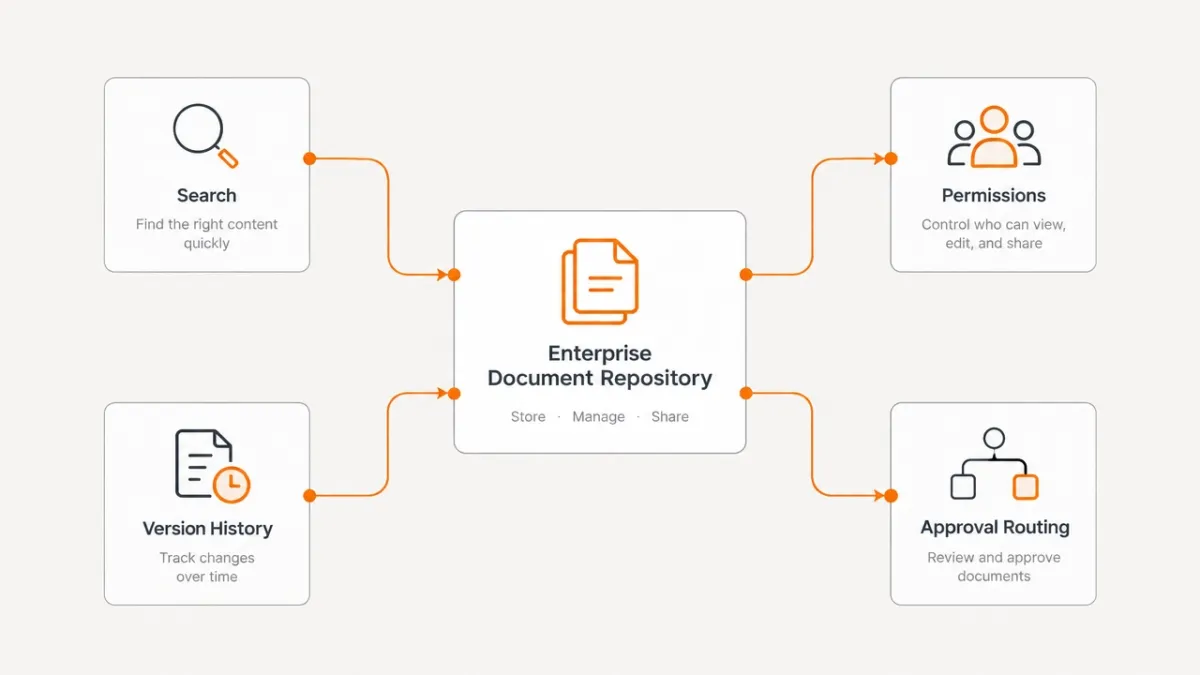
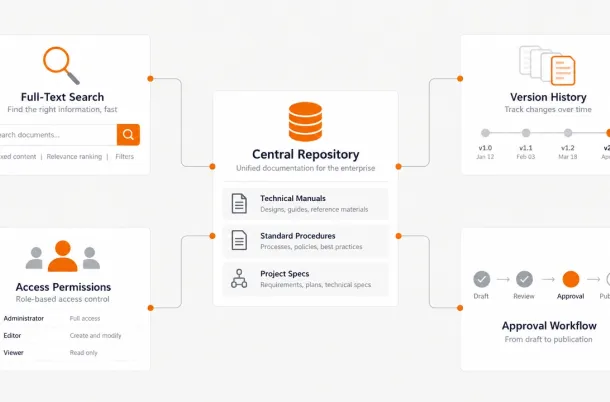
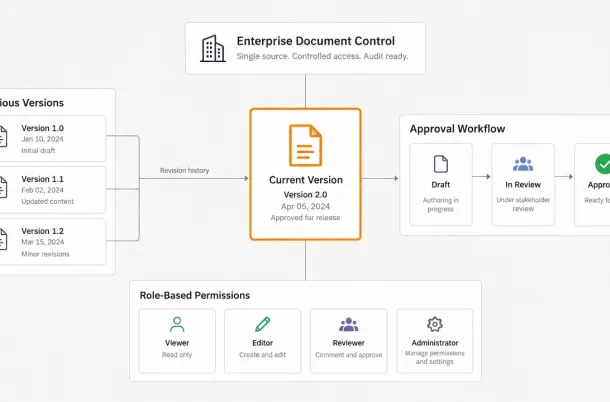
Document handling software centralizes the storage, organization, retrieval, sharing, and control of business documents throughout their working life. For enterprise teams, the buying priorities are searchable content, consistent metadata, permissions, version history, and accountable approvals. Cloud and on-premises options divide responsibility for hosting, maintenance, data location, and backups differently, so compare operating responsibilities alongside document features.
Which software category fits your needs?
A document management system fits teams that need controlled daily work with business documents. Capture software addresses document intake, while enterprise content management covers a broader information lifecycle.
Capture software brings paper and existing files into a digital environment through scanning and importing. Optical character recognition (OCR) extracts text from scanned images so that image-based content can become searchable.
A document management system adds a centralized repository, classification, retrieval, access controls, revision histories, and document workflows. AIIM describes document management as storing, managing, and tracking electronic documents, including images captured from paper. Scanning is one entry route into that managed environment.
Enterprise content management (ECM) extends the scope to strategies and tools for capturing, managing, storing, preserving, and delivering information throughout its lifecycle, as defined by AIIM.
Choose against the work you need to control. A paper-intake project needs capture capabilities. A supplier-contract process needs document management. Requirements spanning long-term preservation and information delivery call for broader lifecycle evaluation. These categories overlap, so compare demonstrated capabilities rather than product labels alone.
Features worth testing before purchase
Evaluate document handling software against a complete document process: finding a supplier agreement, revising it, restricting access, and obtaining approval. A demonstration should expose how the system handles competing revisions and decisions scattered across email.
Organization and reliable retrieval
Reliable retrieval combines searchable document content with structured classification. Test folders and configurable properties using fields such as supplier, project, document type, and status.
Search for a known phrase inside an agreement, then narrow the results using its supplier and status. Repeat the exercise with a scanned PDF after OCR and full-text indexing. Result snippets should help distinguish similar agreements without opening every file.
Also test reusable searches and filters. A procurement team needs a repeatable way to retrieve agreements awaiting review, even when filenames differ.
Permissions and controlled sharing
Access controls should reflect what each participant is responsible for doing. Test the same document with an author, an approver, and a colleague who only needs to read it.
Check users, groups, folder policies, and permission inheritance. Then examine viewing, editing, downloading, and sharing separately. A person permitted to review an agreement may have different responsibilities from someone preparing the next revision.
Evaluate sharing through permission-managed access, secure download mechanisms, and activity visibility. Ask the demonstrator to identify who performed an action and when, including after the initial sharing step.
Revisions and approval responsibility
Revision control should preserve changes, while approval workflows should make decisions traceable. Test check-in/check-out, revision notes, retained versions, and access to an earlier document state.
Run a rejection as well as an approval. The reviewer should be able to return the document for revision, with ownership of the next task clear. Check due dates, reminders, and reassignment when the assigned approver is unavailable.
The acceptance evidence is a specific revision, its process status, and a traceable approval history. Assign named people to assess the content and make the decision.
Integration and document portability
Integration tests should follow document operations across your existing applications. Check APIs, scheduled intake from shared locations, file-selection rules, and preservation of useful folder structures.
For export, inspect both the document files and their accompanying properties. A contract without its supplier, status, and project metadata loses part of its business context.
For procurement prioritization, the U.S. National Archives and Records Administration separates mandatory and desirable capabilities in its U.S. federal agency records-management requirements. Use that distinction to separate purchase requirements from preferences.
Cloud, on-premises, and operational responsibility
Deployment choice determines who operates the document environment and which infrastructure decisions remain with your organization. Match the arrangement to IT capacity, data-location requirements, existing systems, and support expectations.
Hosted cloud responsibilities
Hosted cloud provides browser access while service operations are managed under the provider agreement. Evaluate the agreement alongside the application demonstration.
Confirm hosting location, backup arrangements, service levels, and contracted users. Include integration requirements in the implementation plan, particularly where business applications must exchange documents or metadata.
Browser access and client-side components are separate considerations. Include any scanning tools or integration utilities in your endpoint deployment assessment.
On-premises control
On-premises deployment places the application, documents, and data on your organization’s servers. Internal IT typically handles infrastructure, deployment, maintenance, security administration, and backups.
That arrangement gives your organization control over data location, hardware choices, update schedules, and backup procedures. Budget for software licensing and hardware together with administration, updates, and ongoing support.
Ask the administrators who will operate the environment to review the proposed architecture before purchase.
Hybrid project requirements
Hybrid deployment needs an explicit architecture showing where application components, document storage, and integrations reside. For LogicalDOC, available configurations depend on edition capabilities and project requirements.
Bring operational document owners, IT administrators, and integration specialists into the same review. Agree who supports each component and how documents move between environments. The resulting responsibility map should be specific enough to guide implementation and support handoffs.
How LogicalDOC handles business documents
LogicalDOC centralizes business documents with capture, classification, retrieval, sharing, version control, and approval capabilities. We provide cloud, on-premises, and hybrid deployment options so organizations can fit document handling into their operating environment.
Capture and consistent classification
LogicalDOC accepts uploads and automated imports from local folders or remote Server Message Block (SMB) shares. Monitored folders can collect multifunction-printer scans and files produced by another application.
Import settings support scheduled processing, filename inclusion and exclusion filters, and reproduction of external folder trees. This gives teams a route for bringing existing repositories and continuing document intake into the managed environment.
Direct scanning sends documents from compatible TWAIN devices into LogicalDOC through the browser. That scanning route requires Windows and Java Runtime on the client PC.
For scanned content, the processing sequence is upload, OCR text extraction, full-text indexing, and retrieval. Folders and metadata templates then provide consistent classification. Standard properties and organization-specific fields let teams describe documents by business context rather than relying entirely on filenames.
Search and business-system integration
LogicalDOC supports full-text searches across document content, selected metadata, or both. Parametric searches work directly with document properties, including custom template fields.
Users can filter results by language, folder, size, date, and document class. Snippets help distinguish matches, while saved searches support recurring retrieval tasks.
Full-text indexing runs asynchronously with configurable scheduling and processing settings. Document intake and completion of indexing are separate processing stages, so an evaluation can follow a file through each stage.
SOAP and RESTful APIs connect document operations with business applications and third-party systems. Export archives contain document files together with their properties and attributes in XML, preserving structured context alongside the files.
Controlled revisions and accountable approvals
LogicalDOC combines user and group permissions with folder security policies. New folders can optionally inherit their parent’s security policies, helping administrators align access with the repository structure.
Check-in/check-out controls parallel editing. Tracked versions, revision notes, content and metadata comparisons, and configurable historical-version retention preserve the sequence of changes.
Approval workflows use tasks and transitions to route documents through review, rejection, revision, and approval. Fork/Join supports parallel reviews, such as Legal and Finance examining the same agreement. Tasks can have due dates and reminders, be reassigned, or be offered to a group for a reviewer to take ownership.
Version history and Workflow Status answer different questions. Version history identifies revisions; Workflow Status identifies the process stage. A newly revised document can still be awaiting approval.
Workflow instance history records tasks, users, dates, and times and can be exported or printed. Document audit history records actions such as viewing, modification, downloading, and deletion.
Permission-controlled access, secure download tickets, and document-change subscriptions support ongoing collaboration around the managed record. Teams can combine access administration with notifications when documents change, while keeping responsibility for review and approval with assigned people.
LogicalDOC editions and pricing basis
LogicalDOC Community, Business, Enterprise, and Cloud combine core document controls with different capture and automation capabilities. As of November 2026, the edition choices and commercial terms below provide the basis for comparing requirements and requesting a quote.
Edition comparison table
All four editions include full-text indexing, metadata, version control, and folder security. OCR and workflow requirements determine which additional capabilities you need.
Capability | Community | Business | Enterprise | Cloud |
|---|---|---|---|---|
Full-text indexing | Included | Included | Included | Included |
Metadata and templates | Included | Included | Included | Included |
Version control and check-in/check-out | Included | Included | Included | Included |
Users, groups, and folder security | Included | Included | Included | Included |
Standard OCR | Not included | Included | Included | Included |
Workflow automation | Not included | Not included | Included | Included |
Zonal OCR | Unavailable | Unavailable | Paid add-on | Paid add-on |
Source: LogicalDOC edition comparison matrix.
Community is free and open source. Cloud provides hosted document management. Zonal OCR extracts predefined fields into metadata using zone templates, rather than recognizing full-page text alone.
Sync and Hot Folders are paid add-ons for Business, Enterprise, and Cloud. Identify required add-ons before comparing quotes so the proposed configuration includes the intake processes you intend to use.
Commercial quotes and ongoing costs
Business, Enterprise, and Cloud pricing is project-specific. We prepare quotes using the edition, number of users, repository size in GB, and project requirements. Include your deployment choice, required capabilities, integrations, and implementation notes.
Cloud fees are based on contracted end users or particular conditions specified in the purchase contract, under our Cloud Terms of Service.
A perpetual software license includes an initial 12 months of maintenance covering technical support and software updates. Optional maintenance renewal is 22% of the license price, including optional features, components, and customizations, subject to a product-dependent minimum. The perpetual license remains usable after maintenance expires, under our software maintenance terms.
Compare total cost across licensing or service fees, required add-ons, infrastructure, implementation, integration, and administration. Keep the comparison on the same basis: the same user population, repository volume, capture routes, and approval requirements.
For example, a team evaluating scanned supplier agreements with parallel approvals should include standard OCR, workflow automation, and any required intake add-ons in its configuration. That creates a more useful purchasing comparison than a license figure detached from the intended process.
Enterprise handling at Kugler GmbH
Kugler GmbH uses LogicalDOC to manage manufacturing and business documents in a centralized repository. Our case study describes this German precision manufacturer with approximately 100 employees and 171,800 files across 14,940 folders as of May 2026.
The repository includes measurement reports, quality records, inspection documents, product documentation, work instructions, and manufacturing procedures. OCR supports retrieval from scanned PDFs and image-based records.
Role-based permissions govern viewing, downloading, editing, printing, deletion, and versioning in Kugler’s deployment. These distinctions matter when staff need access to technical information while document maintenance remains assigned to particular roles.
Kugler uses digital stamps for purchase-requisition approvals and folder subscriptions for document-change notifications. Its application integration also reaches beyond document retrieval: REST API-generated links supply more than 6,000 centrally stored product images to Power BI.
The figures describe Kugler’s deployment rather than a general performance benchmark. For your evaluation, the relevant pattern is the combination of document diversity, differentiated permissions, approval requirements, and application integration. Test those needs together using your own records and participants.
Evaluate your document process with us
A representative supplier agreement gives your evaluation a concrete acceptance test. Bring its metadata, an edited revision, reviewer permissions, and the intended approval path.
Include the document owner, an approver, and an IT representative. Ask each participant to verify the evidence relevant to their role: retrieval of the correct record, appropriate access, and a traceable revision and approval history.
Request a free personalized LogicalDOC demo tailored to that agreement and your deployment requirements. Bring a sample document and the review path you want to test so we can demonstrate the process end to end.
Articoli - Più Letti
- RAG nei Document Management System: come trasformare i documenti aziendali in conoscenza intelligente
- AI-Native Document Processing: Come l'IDP e la Content-Centric Automation Sta Trasformando il Document Management
- Novità di LogicalDOC 9.2.2: ricerca semantica AI, miglioramento delle prestazioni e supporto linguistico migliorato
- L'importanza di gestire correttamente i file multimediali
- Quando e perchè sostituire il tuo DMS. Replacement di un Document Management System